
Tracking Production Status in PhotoRobot Controls Workflows
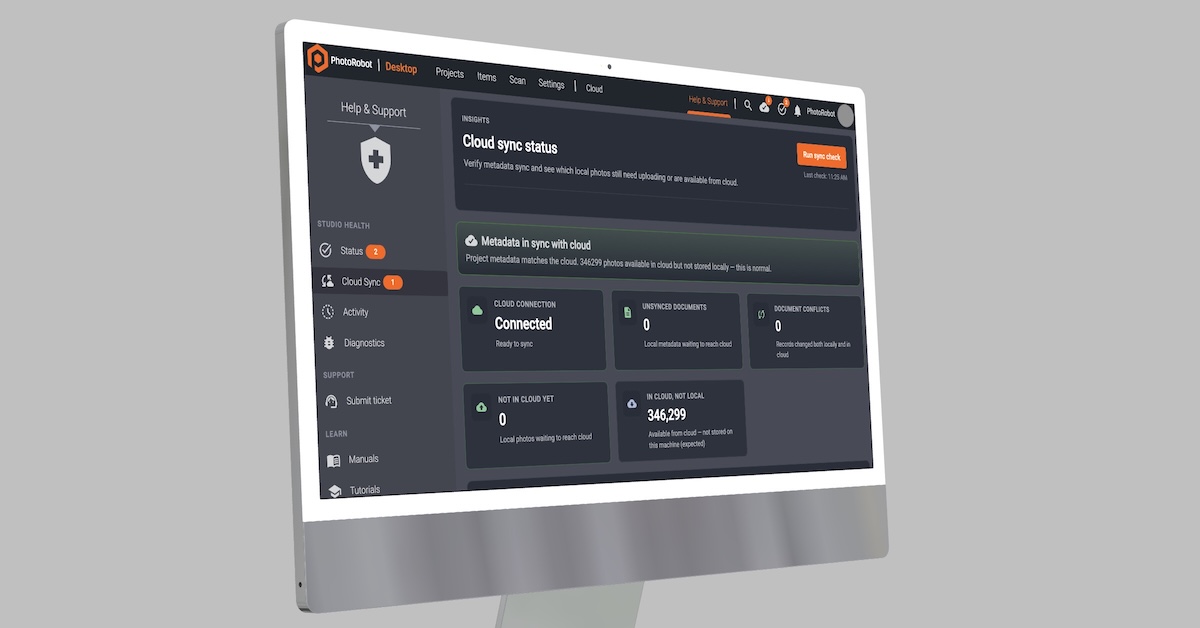
Promote trust in your production line with PhotoRobot Controls features to confirm sync, track activity, and report workflow statuses.
Confirm Sync, Track Activity, Automatically Report Status
PhotoRobot Controls delivers software features for greater transparency, traceability, and trust in your production line. Confirm sync at a glance. View status of projects and items worldwide. Track activity, and automatically report workflow status.
Know what’s happening, what is ongoing, and what happens next. Read ahead to learn about taking full advantage of sync status visibility, activity audit logs, and automatic workflow statuses.
Sync Status Visibility – See Pending Sync at a Glance
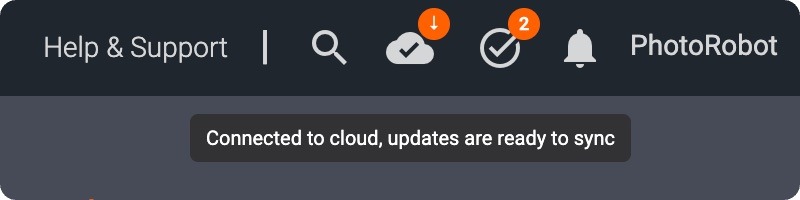
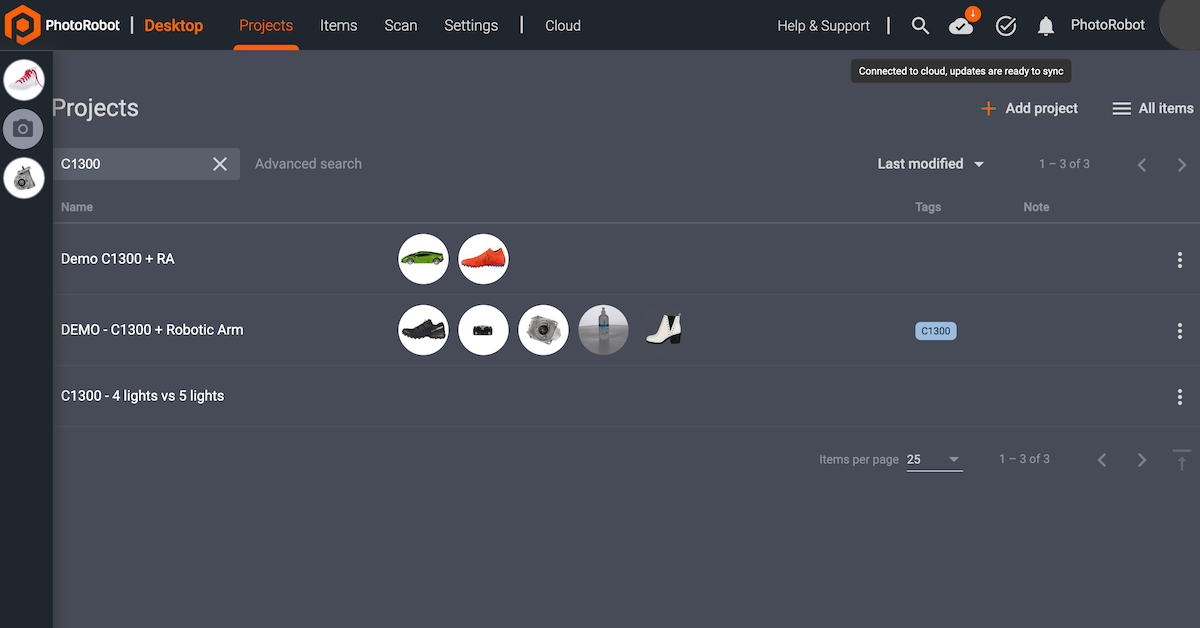
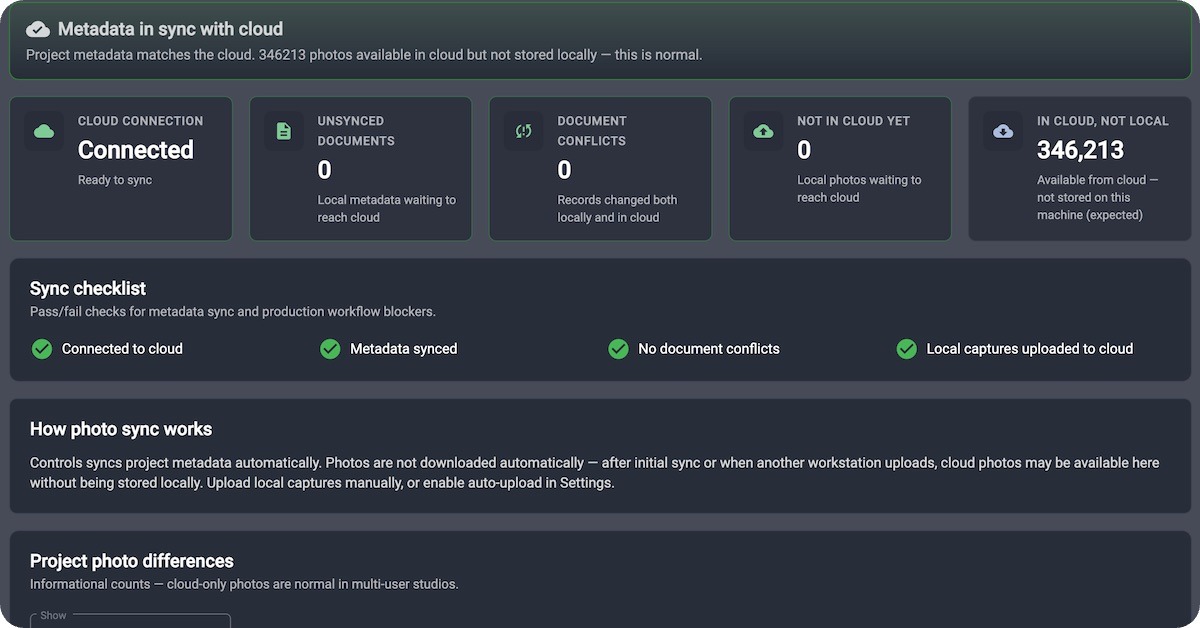
Your _Controls software makes it possible for hybrid studios to see a pending synchronization between the cloud and their workstations. This way, your hybrid studio always knows when the cloud and workstation are catching up. A sync badge in PhotoRobot _Controls shows pending local and server changes – so it takes only a glance to know if synchronization is pending.
Hybrid Studios Need Sync Visibility
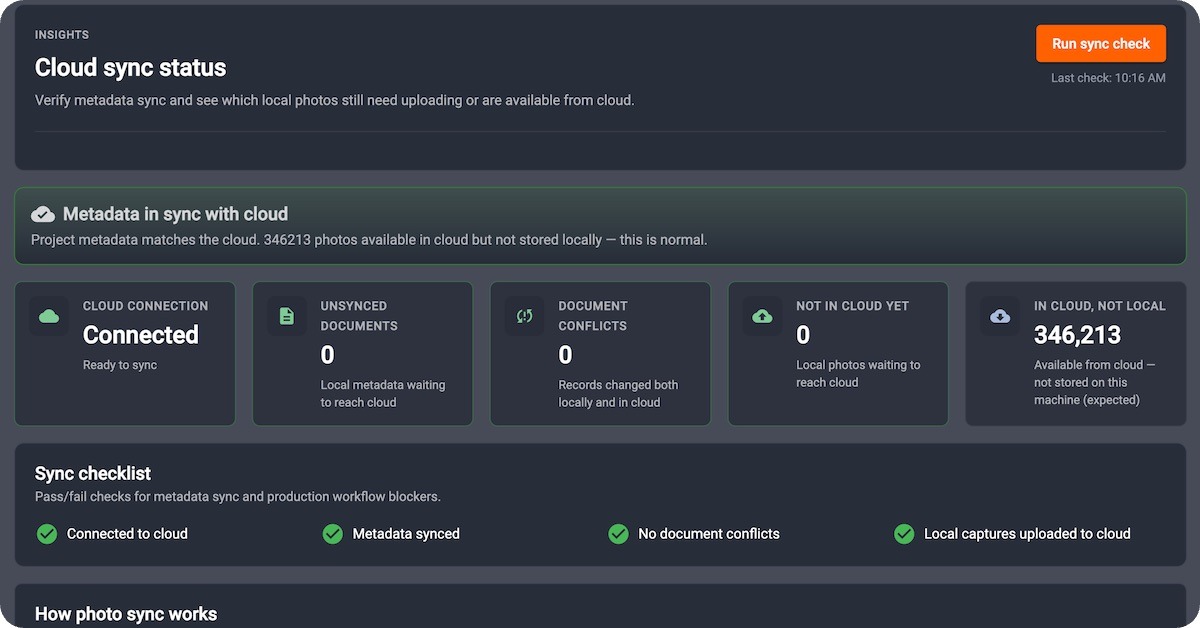
As PhotoRobot thrives in workflows combining local and cloud operation, sync visibility is crucial. Operators need to see when uploads, downloads, or reconciles are in flight – without opening a debug console. Thus, the _Controls sync badge that surfaces pending local / server changes also displays Cloud sync status and Studio Status monitors for deeper diagnostics.
What Teams Gain from Sync Visibility
In addition to the benefits for hybrid studios, sync visibility supports:
- Immediate awareness that sync work remains — before closing a session or switching machines.
- Fewer “missing file” surprises when cloud users expect desktop captures to already be available.
- A bridge to Support 2.0 diagnostics when something needs investigation beyond a simple wait.
Quiet Confidence in Your Workflows
Sync should be invisible when healthy – and obvious when it is not. The sync badge is that signal, remaining invisible until you need it.
In the latest version of _Controls, watch the sync badge during a busy capture-and-upload window. Then, confirm pending work clears before you leave the station.
Unified Studio & Operational Activity Audit Logs
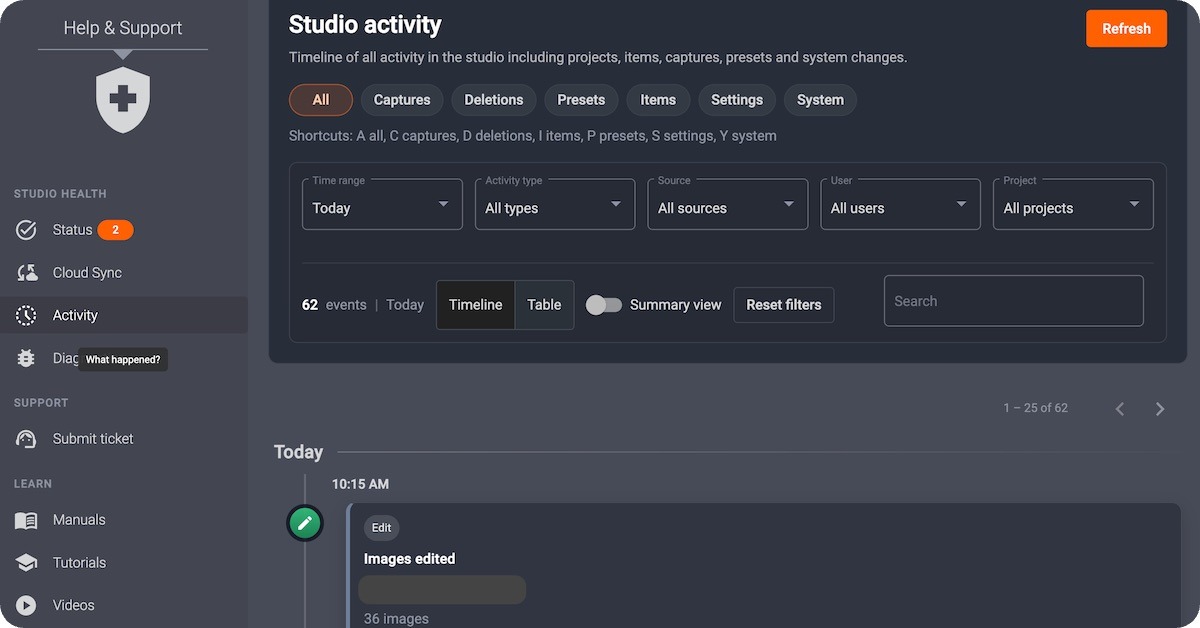
A unified PhotoRobot activity audit trail enables your team to trace what happened in the studio and in operations. You gain clarity for support, compliance, and process improvement.
Know Who Did What and When
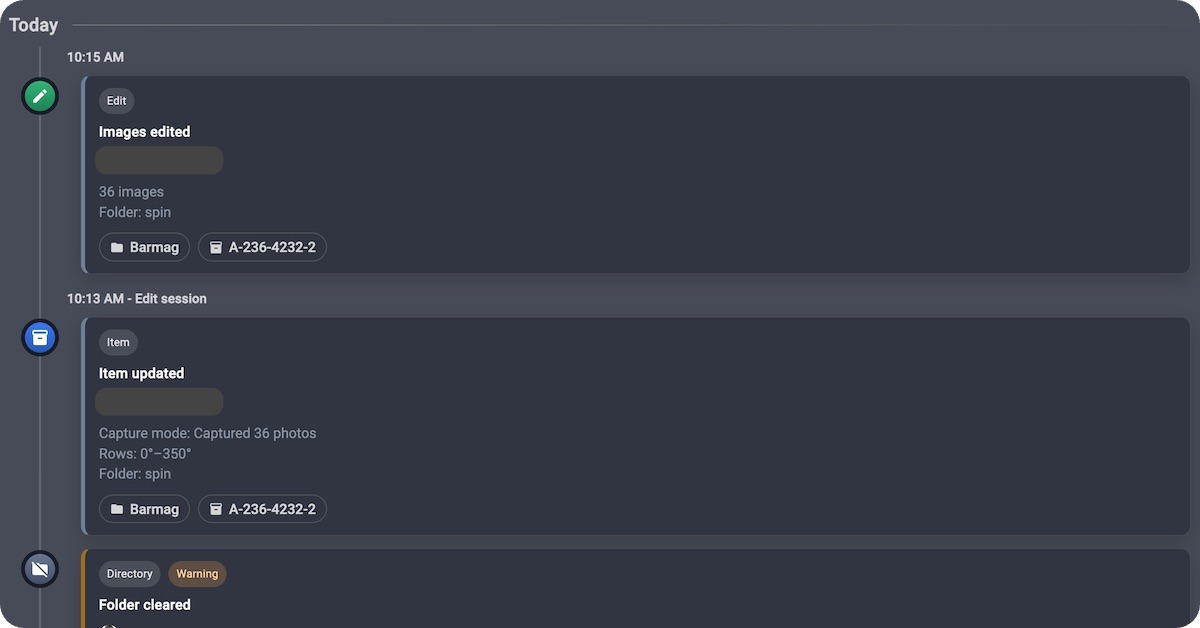
Teams need a single place to reconstruct the story when something unexpected occurs. This is especially true in high-volume production studios, which generate thousands of actions per shift. Unified studio and operational activity logs mean your production-floor activity and operational events share one coherent trail. This way, when an event does occur, it becomes easier to investigate who did what and when for quicker troubleshooting.
How Studios Integrate Activity Audit Trails
Activity audit logs enable teams to quickly reconstruct incidents, follow how the work actually flows, and gain frictionless operational visibility. This aids in:
- Support & diagnostics — reconstruct sequences of actions around an incident.
- Process review — see how work actually flows versus how it was designed.
- Accountability — operational visibility without interrupting production.
Quiet Power for Serious Operation
Audit logs are not flashy — they are foundational. Together with the Help & Support diagnostics in the Controls Support 2.0 release, audit logs deepen PhotoRobot’s commitment to transparent, recoverable studio operations.
To see for yourself, ask your PhotoRobot admin to open activity audit logs after updating to the latest version of _Controls. Then, review a recent production window with your team.
Configurable Automatic Item Workflow Statuses
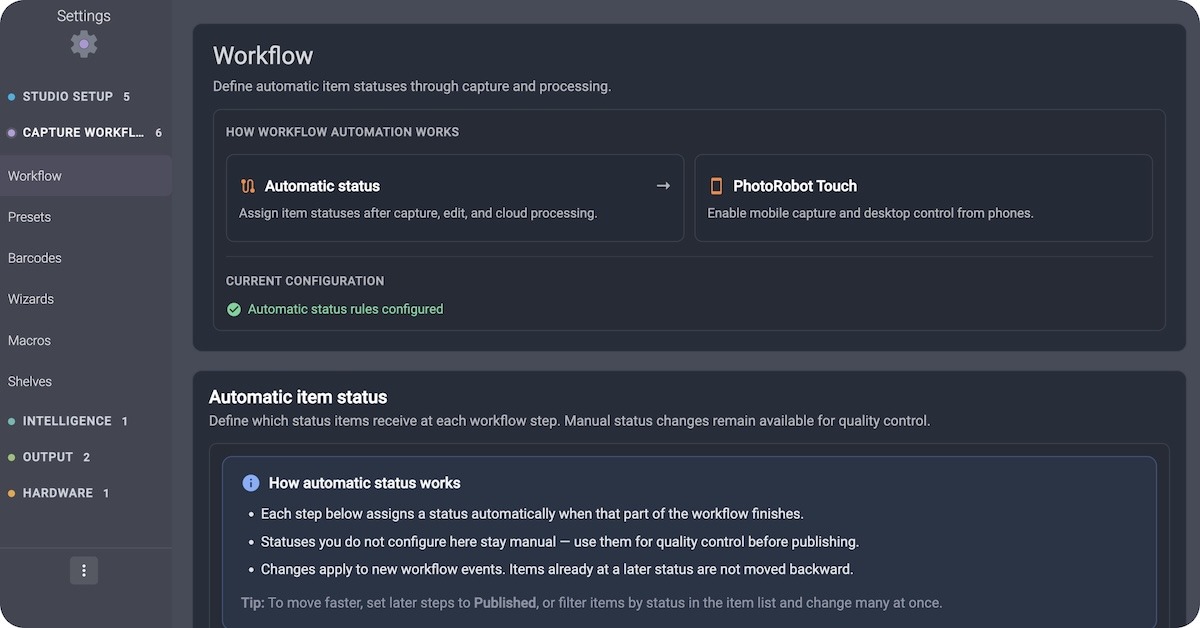
For instant reporting and greater transparency, deploy configurable automatic item workflow statuses. Define how item statuses advance after completing capture, edit, cloud edit, and Touch – so PhotoRobot _Controls mirrors your production process automatically.
Status Should Always Follow Your Work
While every studio may name stages of production differently, the labels matter – and so does when they change. From “Captured” to “In retouch” and “Ready to publish,” team members must remain aligned on what each item status means, and what must follow.
PhotoRobot _Controls does just that, with support for organization-level workflow status settings. Choose the default status for new items, and configure automatic transitions after key production events.
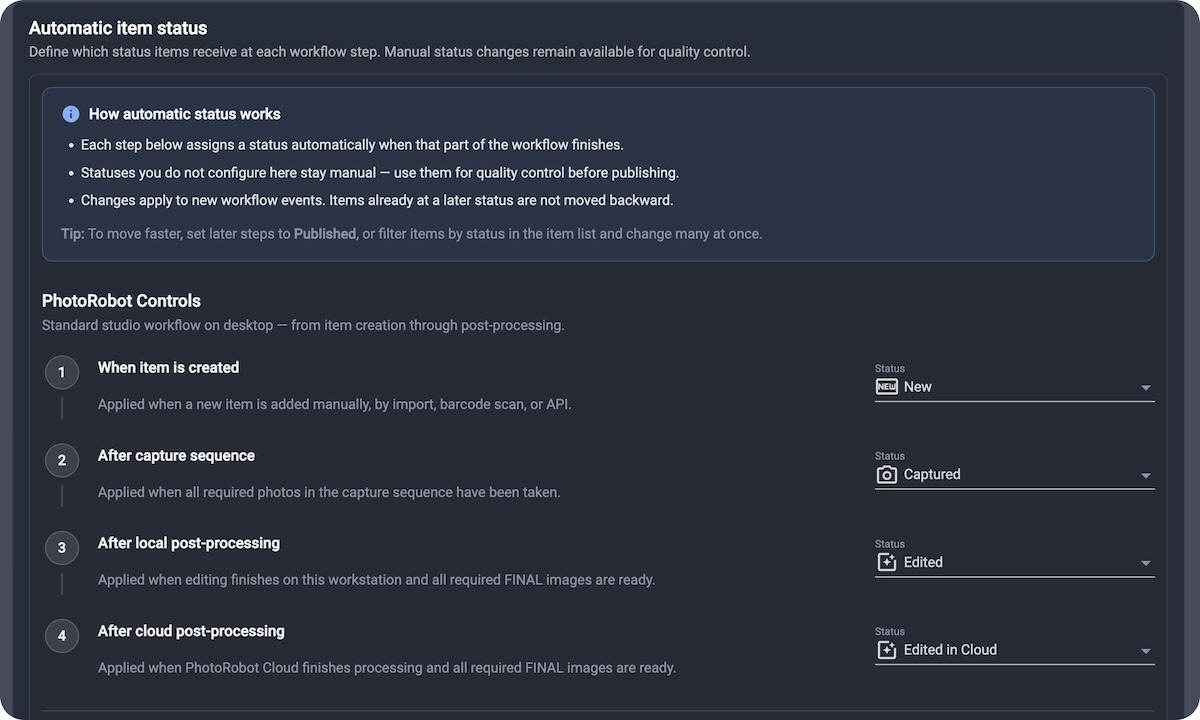
Configurable Automatic Transitions After Events
To support key production events, there are configurable automatic transitions for:
- New items — start every SKU in the right bucket.
- After capture — mark work ready for edit or review without a manual click.
- After edit / cloud edit — keep desktop and cloud pipelines aligned.
- Touch complete — close the loop when mobile capture finishes on the floor.
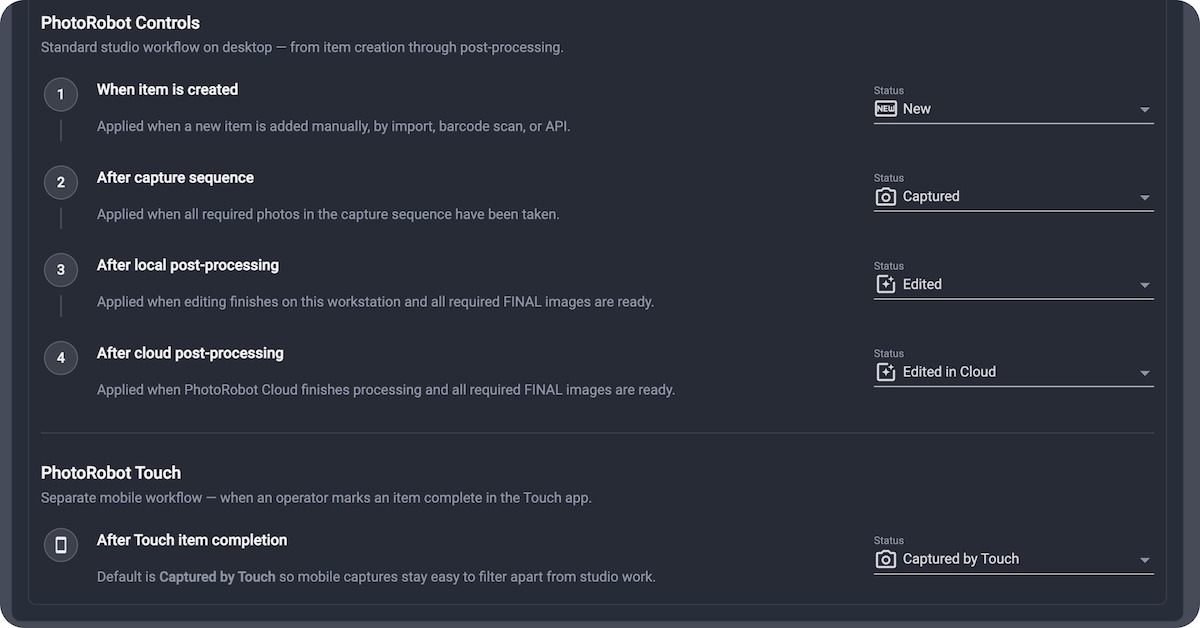
One Settings Surface Visible & Editable for Admins
A unified settings UI keeps workflow rules visible and editable for admins. This same behavior is available across both cloud and desktop configurations.
Why Studios Care – A More Reliable Dashboard
Manual status updates are the silent tax on high-volume production, and automating them not only supports smoother production workflows. It also helps to reduce questions like “where is this SKU?” – keeping your dashboard truthful.
To adjust your workflow status settings, simply ensure you are running an up-to-date version of _Controls software. Then, open your organization workflow status settings, and map each production event to the statuses your team already uses.
Know Where Everything Stands in Your Studio
Tracking production status in PhotoRobot _Controls helps you know where everything stands in your studio at all times. It promotes trust in your production lines by allowing for greater support, diagnosis, and development of workflows. Simply ensure you are running an up-to-date version of _Controls for the latest innovations in automated photography. PhotoRobot _Controls mirrors your production – with features constantly evolving around every unique business in the PhotoRobot ecosystem.


