
PhotoRobot Controls Yazılım Çözümü Genel Bakış
Aşağıdaki belgeler, PhotoRobot müşterilerinin PhotoRobot Controls yazılım çözümünü ve sistemin toplam maliyetini anlamalarına yardımcı olmayı amaçlamaktadır. Yazılımın hedeflerini, çözümün nasıl çalıştığını, dijital varlık yönetimini, desteklenen dosya formatlarını, yazılım fiyatlandırmasını ve hesap oluşturmayı özetlemektedir. Bu, müşterilerin entegre PhotoRobot Viewer ve SpinViewer'ın 2D + 3D + 360 görüntü barındırma dahil olmak üzere tüm sistemin toplam maliyetini anlamalarına yardımcı olmak için farklı PhotoRobot yazılım kullanıcı lisanslarının ayrıntılı bir özetini içerir.
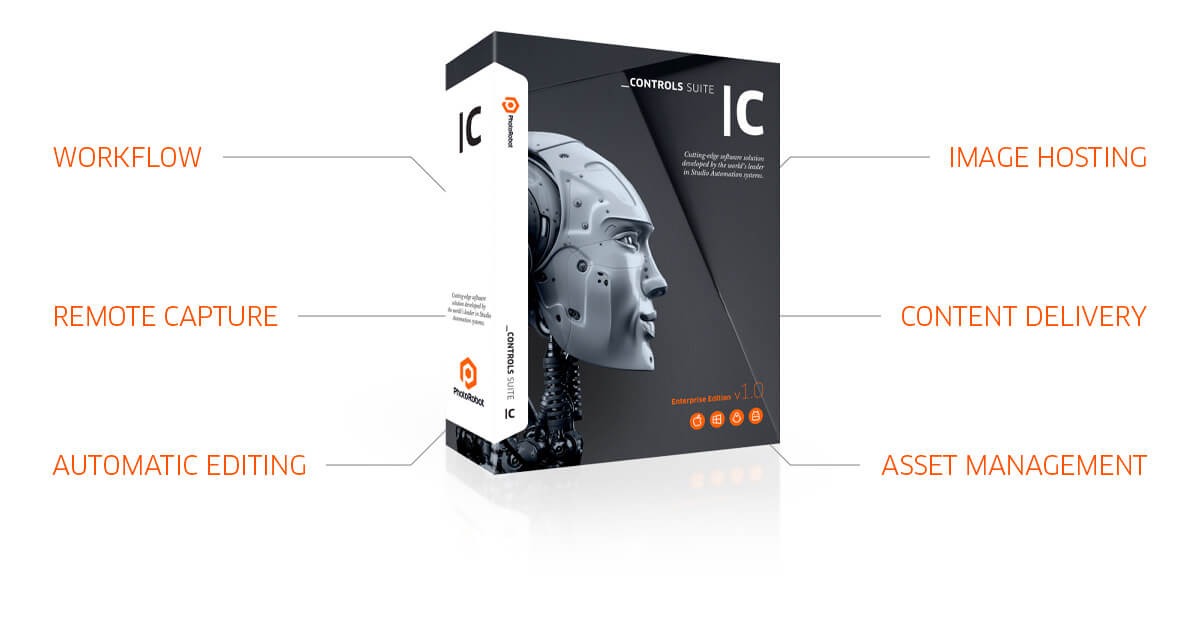
Not: Üretim iş akışını özetlemek ve ekipleri PhotoRobot ile tanıştırmak için PhotoRobot İş Akışı Video Gösterimi'ni izleyin.
Çözüm Hedefleri - PhotoRobot Controls Yazılımına Genel Bakış
PhotoRobot Controls yazılımının hedefleri, genellikle basit olan müşteri gereksinimleri etrafında döner. Tek bir tıklamayla, müşterinin bir konunun bir dizi fotoğrafını çekerek bir SPIN fotoğrafı oluşturması ve STILL görüntüler olarak kullanması gerekir. SPIN, nesnenin etrafında bir veya birkaç yükseliş açısını yakalayabilirken, STILL görüntüler kahraman görüntüler, planogramlar ve pazarlama çekimleri haline gelir. Örneğin, bir ürünün ön, yan ve üst görünümlerinin dik açıyla çekilmiş fotoğraflarını ele alalım, bu da metnin farklı görünümlerde görüntülenmesine olanak tanır.
Bu durumlarda, PhotoRobot tek tıklamayla yakalama, son işleme ve yayınlamayı entegre eden net bir iş akışı aracılığıyla müşteri gereksinimlerini karşılamaya yardımcı olur. Müşteriler tüm görüntüleri yakalayabilir ve otomatik olarak işleyebilir, belirtilen dolgu ile kırpabilir, arka planı temizleyebilir veya kaldırabilir ve mümkün olduğunda görüntüleri otomatik olarak yayınlayabilir.
Aynı zamanda, üretimin her aşaması, bireysel çalışanlar, ekipman ve iş yerleri için iş yükü istatistikleriyle sıkı bir iş akışına bağlıdır. Bu, dünyanın herhangi bir yerindeki bir veya daha fazla stüdyodan, her biri mutlak veri güvenliğiyle bağlı iş yerlerini içerir. Müşteriler için bu, tek tıklamayla iş akışlarına sahip, yaklaşık ürün başına 1 dakikalık üretim hızları sunan tam bağlantılı üretim hatları sağlar.
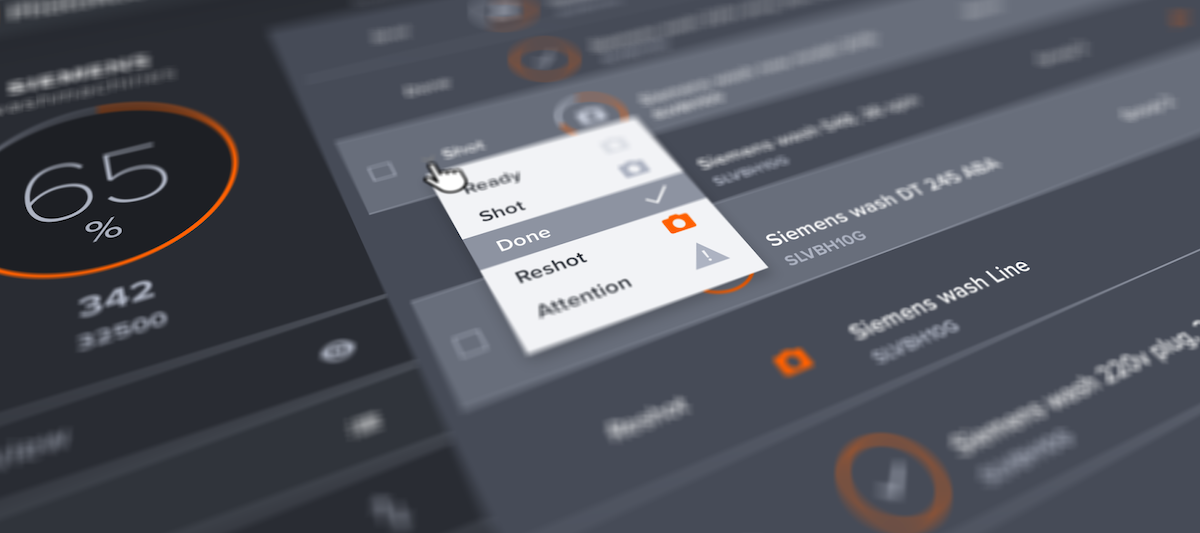
Not: Arka planın otomatik beyazlatılması (saf beyaz 255,255,255'e otomatik ayarlama) veya şeffaf arka plan sağlama için standart araçlara ek olarak, PhotoRobot_controls aracı kroma anahtarı maskeleme de sunar. Bu özellik, fotoğrafçılıkta kullanılan aksesuarları, örneğin resmin başka hiçbir yerinde kullanılmayan bir anahtar renk kullanarak manken standlarının kaldırılması gibi, kaldırabilir.
Ulaşılan süreler, kullanılan belirli makineye ve görüntü sayısına bağlı olarak değişebilir. Belirtilen rakam, 50 Mpx çözünürlüğe sahip 24 görüntüyü, işlem sonrası ve 200 Mbs internet bağlantısıyla çevrimiçi yayınlama dahil olmak üzere sayar.
Çözüm Nasıl Çalışır
Uzmanlaşmış bulut aracı PhotoRobot _Controls Uygulaması, sadece robot kontrolü için değil, aynı zamanda stüdyonuzun veya şirketinizin tüm dijital varlık yönetimi için de en uygun çözümdür.
PhotoRobot _Controls, 360° derece fotoğrafların çekilmesi, ardından işlenmesi ve e-ticaret platformunuzda yayınlanması için gelişmiş özellikler sunar. Yazılım çözümü, tüm üretim iş akışını kapsar ve farklı ürün kategorilerini toplu olarak fotoğraflama şeklinizi önceden tanımlamanıza olanak tanır. Bu, tüm dijital içerik oluşturma süreciniz için gereken süreyi önemli ölçüde azaltırken, maksimum kalite ve üretkenlik sağlar.
- Sistem, süreçleri yöneten önceden tanımlanmış "düzenlemeler" olarak işlev gören "presets" kullanır. Bu, nesnelerin hangi açılardan fotoğraflanacağını değil, aynı zamanda stüdyo ışıklarının, kameraların ve bireysel son işleme araçlarının ayarlarını da içerir. Böylece, çoğu görüntünün işlenmesi, çevrimiçi yayınlamaya kadar tamamen otomatiktir.
- Varsayılan olarak, sistem projelerin daha kolay organize edilmesi için barkod desteği içerir. Bu, önceden var olan veya otomatik olarak atanan kodları kullanarak ürünleri, depolama konumlarını veya mobil rafları, fotoğraflar için hazırlığı ve hatta sadece bir barkod okuyarak makineleri kontrol etme talimatlarını kapsar. Sonuç, maksimum zaman tasarrufudur.
- Ek olarak, çözüm aynı öğenin otomatik çok açılı görüntü işlenmesi için özel araçlar sunar. Örneğin, operatörün dönüş merkezine mükemmel bir şekilde yerleştirmediği ürünler için otomatik ortalamayı ele alalım. Bu arada, yayınlama platformu ve görüntüleyici, içeriğin müşterinin web sitesine Google CDN (İçerik Dağıtım Ağı) dağıtımından yararlanır. Tüm görüntüler, mevcut sunucu yükünden bağımsız olarak yüksek kalitede ve uygun çözünürlükte teslim edilir.
- PhotoRobot Controls App kurulum gerektirmez. İhtiyacınız olan tek şey, sistemin ana sayfasına erişmek için modern bir web tarayıcısıdır (Chrome önerilir). Ardından, Kontrol arayüzüne erişmek ve istediğiniz zaman içinde çalışmak için giriş bilgilerinizi girersiniz. Ayrıca, Bulut sayesinde, her yerden, her zaman bağlantı mümkündür.
- Gerekirse, tüm verileri dışa aktarılacak ve üçüncü taraf bir sisteme aktarılacak ağaç yapısında depolamak da mümkündür. Veriler, yapılandırma parametrelerine dayalı bir yapıda otomatik olarak dışa aktarılır.
Not: Diğer çevre birimlerinin (kameralar, stüdyo ışıkları, tartım veya ölçüm sistemleri vb.) bağlı olduğu iş istasyonları, PhotoRobot Hesabınızdan indirilen ücretsiz bir sürücünün kurulumunu gerektirir.
Sistem Teklifleri İçin: PhotoRobot Controls'ün ücretsiz bir sürümü (bir kullanıcı, buluta sınırlı veri yükleme boyutu) sağlanır (10 GB'a kadar veri barındırma dahil). Kredi kartı verileri yalnızca tam kullanıcı kimliği için gereklidir.
Dijital Varlık Yönetimi
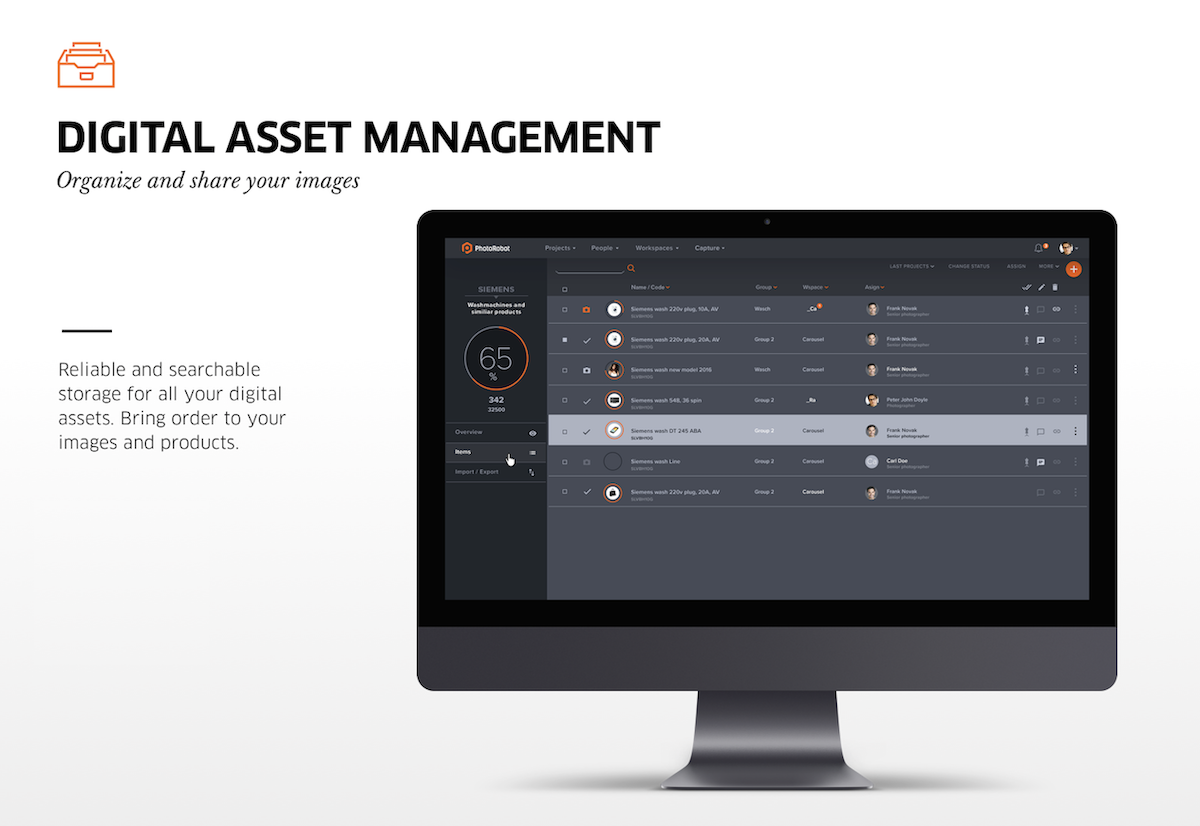
Dijital varlık yönetimi konusunda PhotoRobot, mevcut verilerinizi başka bir sistemden PhotoRobot Controls'e aktarmanıza memnuniyetle yardımcı olacaktır. PhotoRobot Controls, tüm dijital varlıklarınız için güvenilir ve aranabilir depolama sağlayarak görüntülerinize ve ürünlerinize düzen getirir.
Desteklenen Dosya Biçimleri
Desteklenen dosya formatları şunlardır: JPEG, WEBP ve PNG (şeffaf arka plana sahip görüntüler için).
Ancak, gerekirse, RAW dosyaları için de destek vardır (uyumlu kameralar kullanılarak) ancak yalnızca yerel ağ içinde. Dosyalar kameradan indirilir ve ardından yapılandırılmış klasörlerde saklanır. Bunun nedeni RAW dosyalarının büyük veri boyutudur.
Not: JPEG dosyaları şeffaf arka planları desteklemediği için, bu işlevselliği sağlamak amacıyla PNG kullanılır. Aynı zamanda, sistem tarafından oluşturulan tamamen beyaz arka plan 255-255-255 JPEG olarak dışa aktarılabilir.
Yazılım Hesapları, Sürümler ve Lisanslar
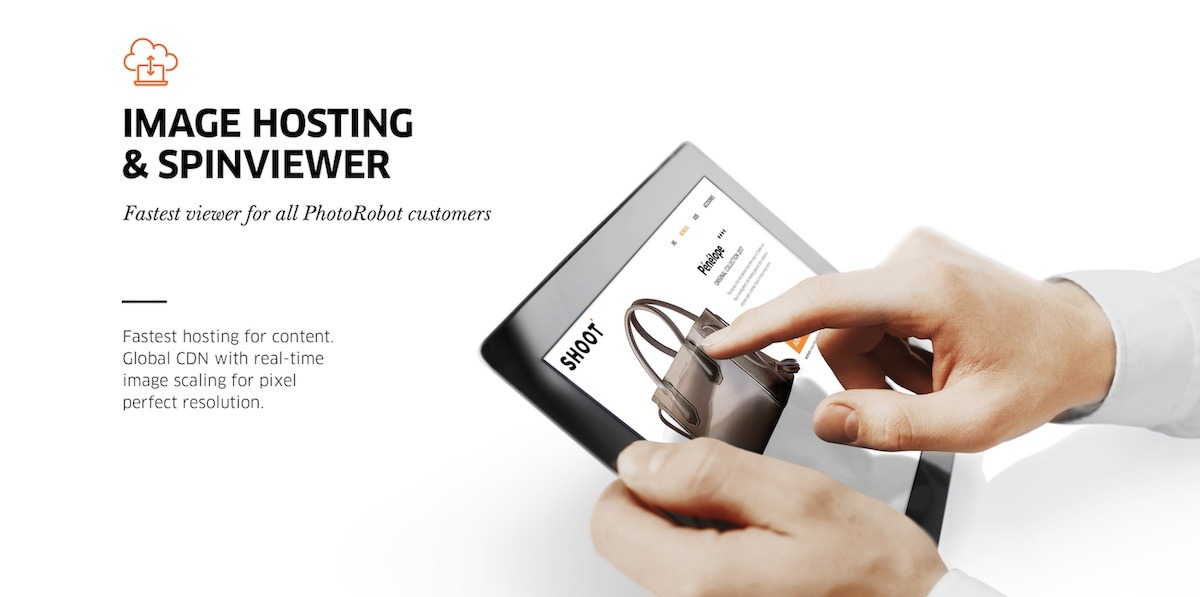
PhotoRobot Controls App yazılımı Bulut, Yerel ve Hibrit sürümlerde mevcuttur; Güç Kullanıcısı, Arka Plan Kullanıcısı ve Üretim Kullanıcısı için lisanslarla birlikte.
- Kullanıcı lisansları, gereksinimlere bağlı olarak çeşitli kullanıcı seviyelerine ve şirketlerin çözümü ihtiyaçlarına göre optimize etmelerine yardımcı olacak esnek fiyatlandırma seviyelerine olanak tanır.
- Ekibinizdeki rollere en uygun lisans setini karıştırmak ve stüdyo operasyonlarınızla ilgili aylık ücretleri en aza indirmek mümkündür.
- Deneyimli destek ekibimiz, üretim hızınızı korumak için ücretli hesaplara her zaman açıktır.
PhotoRobot Controls Uygulama sürümleri ve lisansları için ayrıntılı fiyat kılavuzu için şuraya bakın: PhotoRobot Controls Fiyatlandırma ve Lisanslar.
Uygulamada, PhotoRobot Kontrollerini sadece profesyonel fotoğrafçılar ve e-ticaret uzmanları için değil, aynı zamanda ürünleri fotoğraf çekimi için hazırlayan ve lojistiğini sağlayan çalışanlar için de geliştirdik. Ayrıca, projenin mükemmel bir genel görünümünü ve kontrolünü isteyen yöneticiler için de – tüm stüdyo iş akışının (ve detaylı denetimlerinin) gerekli etkinliğini sağlayarak.
Her görüntü yakalamanın otomatik depolanması ve ardından PhotoRobot Cloud'a anında yedeklenmesi vardır. Bu, benzer standartlara ulaşmanın önemli satın alma ve işletme maliyetleri gerektirdiği yerel çözümlerin aksine, en yüksek güvenlik ve kararlılık derecelerini sağlayan Google platformu içindedir.
Tüm Sistemin Toplam İşletme Maliyeti
Sistemin toplam maliyetini tahmin etmek için toplam kullanıcı lisansı sayısını ve türünü belirlemek gereklidir.
Kullanıcı lisansları Power User, Backstage User ve Production User'dır.
- Güç Kullanıcısı: Yerel yakalama ve bulut tabanlı son işlemeyi aynı anda kullanarak paralel üretimde maksimum verimlilik için lisans.
- Üretim Kullanıcısı: Yerel yakalama ve son işleme, bulut tabanlı veri yönetimi ve yayınlama lisansı
- Arka Plan Kullanıcısı: Yalnızca sıralama, tartma, ölçme, hazırlık, yayınlama işlemlerini yöneten ekip üyeleri için lisans.
Örneğin, Backstage User lisansı, stüdyonun işletimiyle ilgili tüm faaliyetleri yöneten kullanıcılar içindir. Bu, fotoğraflanan nesnelerin alınması ve dağıtılması, tartılması, ölçülmesi, hazırlanması, kalite kontrolü, yorum yapılması, veri içe ve dışa aktarılması vb. içerir.
Öte yandan, Üretim Kullanıcısı lisansı, otomatik fotoğrafçılık ve görüntü işlemeyi yöneten kullanıcılar içindir. Tüm görüntü işleme, önceden tanımlanmış senaryolara – “ön ayarlara” – göredir. Bu arada, Üretim Kullanıcısı lisansının fiyatı, bulut çözümündeki özel grafik kartlarının ve bilgi işlem performansının kullanımını yansıtır. Bu, güçlü grafik istasyonları ve yerel olarak kurulu bilgisayar programları için yerel lisanslar gibi aksi takdirde gerekli olacak maliyetleri azaltır.
Bulut görüntü işleme, görüntü depolama ve CDN maliyeti, toplam görüntü depolama hacmine (veri hacmi) göredir.
- İşleme ve depolama maliyeti, depolanan veri hacmi arttıkça azalır. Veriler depolama maliyetini azaltmak için periyodik olarak silinebilse de, pratikte çoğu müşteri kademeli olarak azalan fiyatlardan yararlanır. Bu durumda, veriler bulutta kalıcı olarak arşivlenir.
- Aşırı maliyet azaltma için, yerel işleme ve depolama (müşterinin makinesinde) talep üzerine mevcuttur – bunun için hiçbir işleme ücreti alınmaz. Yalnızca güçlü bir CPU ve GPU'ya sahip bir bilgisayar gereklidir.
Son olarak, lisans sayısı müşterinin mevcut ihtiyaçlarına göre şekillenecektir.
- Müşteri, lisanslamayı yönetmek için yönetici haklarına sahip bir müşteri hesabı kullanır (sistemde birden fazla olabilir).
- Minimum bir Backstage lisansı ve uygun miktarda barındırma gereklidir.
- Barındırma, 10 GB'ı aşmadığı sürece ücretlendirilmez.
- Lisanslar aylık olarak ücretlendirilir – en az bir faturalandırma dönemi için.
- Lisanslar, müşterinin mevcut ihtiyaçlarına göre AÇIK veya KAPALI konuma getirilebilir.
Entegre PhotoRobot Viewer: Görüntü Barındırma ve SpinViewer
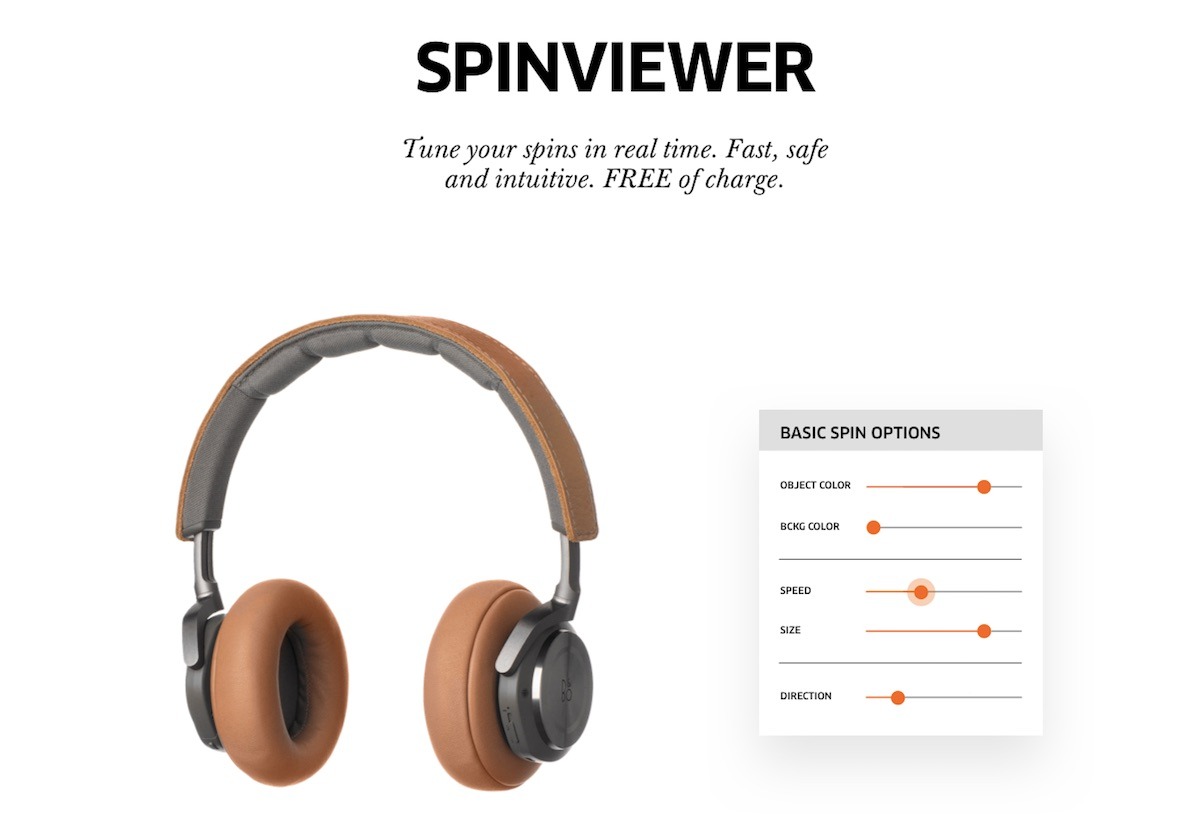
Entegre PhotoRobot Viewer ve Spin Viewer, PhotoRobot barındırma hizmetinin bir parçası olarak sürekli güncellemelerle ücretsiz sunulan, son teknoloji bir 2D + 3D + 360 görüntüleyicidir. Web sitelerine, e-mağazalara, e-ticaret platformlarına ve ürünlerinizin çevrimiçi göründüğü her yere kolayca entegre olur.
PhotoRobot Viewer parametrelerini teknik detaylarıyla anlamak için PhotoRobot Geliştirici Portalı'na bakın.
PhotoRobot Viewer, ürün içeriğinin çevrimiçi kolay dağıtımını sağlar: resim galerileri, packshots, 360 SPIN, sıcak noktalar, panoramalar ve daha fazlası. Görüntüleyici düzenleri, farklı görüntü formatları için isteğe bağlı küçük resim navigasyonu ile tamamen özelleştirilebilir.
Dosyaları bir sistemden bir yayınlama platformuna manuel olarak (veya komut dosyası aracılığıyla) kopyalama ve yayınlama yoktur. Bunun yerine, yakaladığınız tüm görüntüler web'de, 3. taraf platformlarda ve e-ticaret akışlarında anında kullanılabilir. Aynı zamanda, bulut tabanlı, küresel İçerik Dağıtım Ağı (CDN), herhangi bir cihazda gerçek zamanlı ölçeklendirme, hızlı yükleme ve piksel mükemmel çözünürlük sağlar.
Sistem Entegrasyonu ve Zengin API Bağlantısı
Tüm içerik üretim sürecinin optimum verimliliği için, görüntü yakalama sisteminin müşterinin mevcut sistemleriyle ara bağlantısı gereklidir. Bu, PhotoRobot Controls'e veri girişi seviyesinde ve veri çıkışı seviyesinde ara bağlantıyı içerir. Entegrasyon sürecine genel bir bakış için PhotoRobot Sistem Entegrasyonu ve API Özeti'ne bakın. Teknik ekipler tarafından otomasyon ve geliştirme için faydalı kaynaklarla birlikte PhotoRobot API'leri hakkında teknik bilgiler içerir.


EOS Asi Serisi


EOS DSLR Serisi


EOS M Aynasız Fotoğraf Makinesi Serisi


PowerShot Serisi


Yakın çekim / Elde Taşınabilir

Canon EOS Rebel Serisi, sağlam görüntü kalitesine, sezgisel kontrollere ve çok yönlü özelliklere sahip yeni başlayanlar için uygun DSLR fotoğraf makineleri sunar. Fotoğraf meraklıları için ideal olan bu kameralar, güvenilir otomatik odaklama, değişken açılı dokunmatik ekranlar ve Full HD veya 4K video kaydı sağlar.
Bağlantı
Çözünürlük (MP)
Çözünürlük
Canon EOS DSLR Serisi, yüksek kaliteli görüntüler, hızlı otomatik odaklama ve çok yönlülük sunarak hem fotoğraf hem de video prodüksiyonu için idealdir.
Bağlantı
Çözünürlük (MP)
Çözünürlük
Canon EOS M Aynasız Yazıcı, kompakt tasarımı DSLR benzeri performansla bir araya getiriyor. Değiştirilebilir lensler, hızlı otomatik odaklama ve yüksek kaliteli görüntü sensörlerine sahip bu kameralar, görüntü kalitesinden ödün vermeden taşınabilirlik arayan gezginler ve içerik oluşturucular için harikadır.
Bağlantı
Çözünürlük (MP)
Çözünürlük
Canon PowerShot Serisi, sıradan çekim tutkunları ve fotoğraf tutkunları için kompakt, kullanıcı dostu fotoğraf makineleri sunar. Basit bas-çek kameralardan gelişmiş zoom kameralara kadar değişen modellerle kolaylık, sağlam görüntü kalitesi ve görüntü sabitleme ve 4K video gibi özellikler sunarlar.
Bağlantı
Çözünürlük (MP)
Çözünürlük
Canon Yakın Çekim ve El Kameraları ayrıntılı, yakın çekim fotoğraf ve video için tasarlanmıştır. Kompakt ve kullanımı kolay olan bu kameralar, hassas odaklama, yüksek çözünürlüklü görüntüleme ve çok yönlü makro özellikleri sunarak vlog çekimi, ürün fotoğrafçılığı ve yaratıcı yakın çekimler için mükemmeldir.
Bağlantı
Çözünürlük (MP)
Çözünürlük


